Brief:
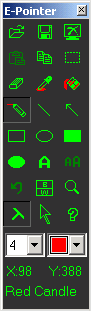
e-Pointer: The useful tool for teacher, draw computer screen freely and easy,It can be used to draw your briefing, lantern slide or other's on your computer screen.View Screen Shot
How to Use:
Press hotkey F9 button to minimize e-Pointer, then press again to get new screen; certainly you can also click "Return to Windows" to minimize e-Pointer;Click right button on combo box to select more color and more size of paint tools;Hold Ctrl Alt Shift or them Combined when drawing you can get circle, square, broken line.
(http://www.foredu.com/index1.htm)


沒有留言:
張貼留言